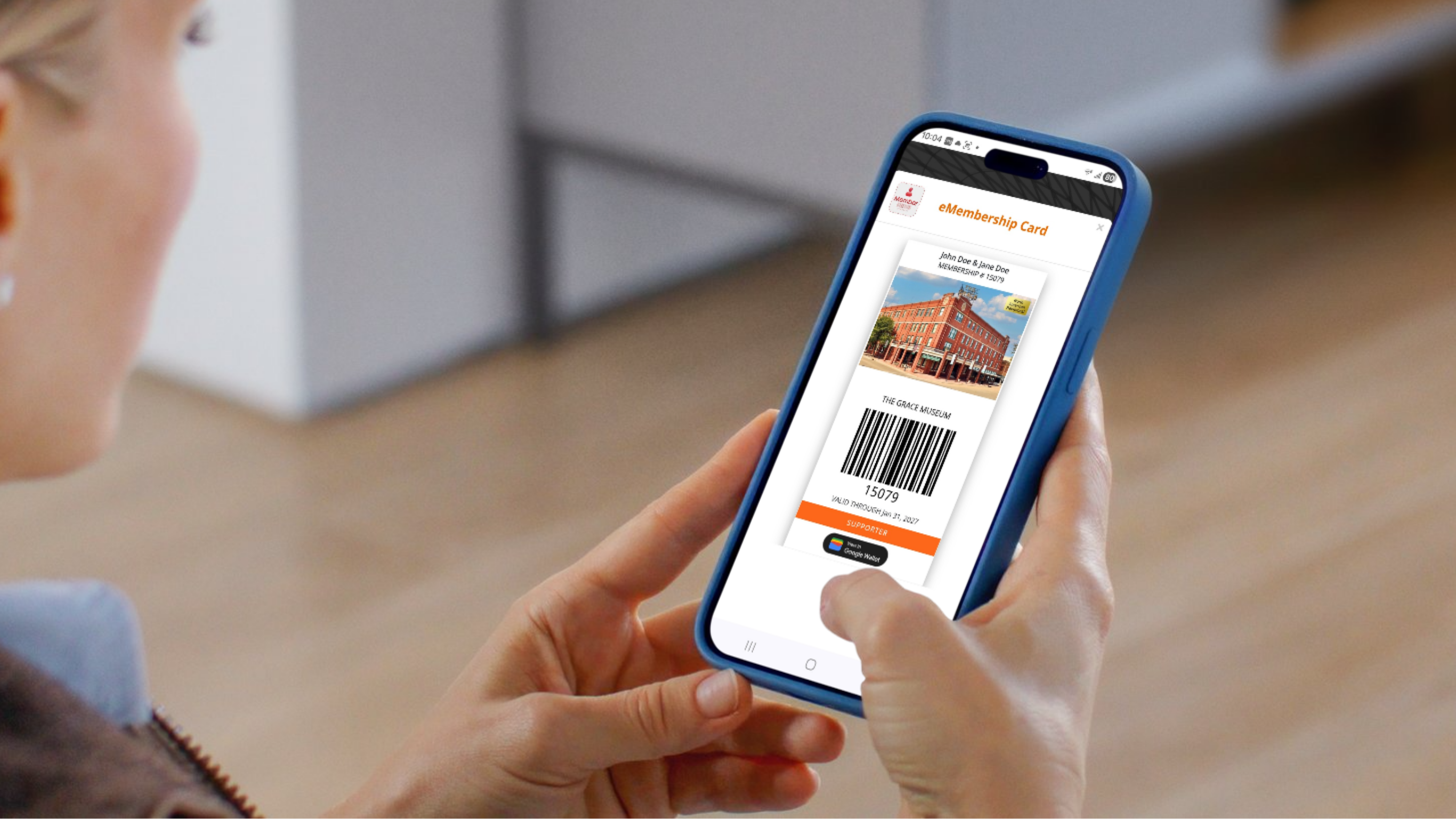
Digital Membership Cards
Access your Museum Membership on the go!
We have listened to your feedback – Grace Museum memberships are going digital. No need to worry about misplacing your card or remembering to renew. You can carry your membership right on your phone with easy access to your benefits, guest passes, reciprocal admission information, and renewal options. Digital cards also allow us to update your benefits and expiration dates, so you will always have a complete list of available membership perks.
Digital cards will launch in March! You will receive an email from membership@thegracemuseum.org with more information when digital cards become active.
3 easy ways to access your digital card!
Option #1
Add your card directly to your existing smartphone wallet
- Click on the link provided in your email to Download your Digital Membership Card.
- Click View in Google Wallet or Apple Wallet.
- Select Add to place your membership card in your digital wallet.
- To open your membership card, click View in Wallet.
- To view your benefits, click the three dots in the upper right corner of your membership card and select Member Details. There you can see your active membership cards, member benefits, special coupons, and guest passes (if available).
Option #2
Download the eMembership App
- Click on the icons below to download the eMembership App from the Apple App Store or Google Play Store. This app will let you view your membership benefits, special coupons, and guest passes (if available).
- Type The Grace Museum into the search bar and click Find.
- Select The Grace Museum tile
- Click Find My Membership Cards.
- Enter your membership number and last name OR your phone number* and last name.
*Please note that if you search by phone number and have multiple numbers listed with us, ONLY the number we have noted as “primary” will work in the search. To update your phone number in our records, please use the Update My Contact Info button at the bottom of this page.



Option #3
Print your Membership card
- From your desktop computer, open the email that includes your membership card link. Click on the link to open your card.
- Open the Print menu and change the print destination to Save as PDF. Save your membership card to your computer desktop or the folder of your choice.
- Open the saved PDF file and print your membership card.
Step-by-Step Video Tutorial
Frequently Asked Questions
What are digital membership cards?
The Grace Museum will begin offering digital membership cards, which can be downloaded and saved to your smartphone, beginning in March of 2026. Digital cards are virtual cards that allow members to access their membership benefits, including admission, conveniently on their smartphones or other devices, rather than carrying a physical card. Digital cards also allow us to update your benefits and expiration dates, so you always have a complete list of available membership perks.
How will I receive my digital membership card?
You will receive an email from membership@thegracemuseum.org with a unique link that provides options for accessing your digital card.
Will I need to download my digital membership card each time I renew my membership?
If you download your digital membership card to your smartphone wallet or via the eMembership app, it will update within 2-3 days.
How do I access my reciprocal benefits with my digital membership card?
Reciprocal benefits can be accessed either through the eMembership Card app or through your Apple Wallet or Google Wallet.
How will I use my digital membership card?
Your digital membership card is unique to your membership and displays your name, membership level, expiration date, and a unique barcode. Simply show your digital membership card to our staff at the front desk to take advantage of your membership benefits like free admission and gift store discounts.
Coming soon…self-entrance kiosks to scan and enter without stopping at the desk!
How can I share the card if my membership includes two named members?
Once your membership has been processed, the primary member will receive an email with a unique link associated with the membership. As the primary member, you can forward the email to the secondary named member so they can access their digital membership card.
How do I see the reverse side of the membership card?
The reverse side of your digital membership card gives you a snapshot of your Member Details, (where you can find any coupons or guest passes issued to you), member benefits, reciprocal benefits if available, and more. To access this information from an iPhone or Android in your Google Wallet, click the 3 dots in the top right corner of the membership card.
What if I lose/delete my membership card or it hasn’t arrived yet?
Contact the Director of Donor Relations at info@thegracemuseum.org and we will be happy to resend your digital membership card link to your email address. Members can also present a photo ID at our admissions desk and we can look up your membership details and get you on your way as quickly as possible.
Can someone else use my membership card?
No. Digital membership cards are not transferable. Only the member(s) named on the membership may use the digital membership card.
Will the recipient of my gift membership receive a digital membership card?
Yes. If you choose “Send gift membership directly to recipient” AND provide the gift recipient’s email address, they will receive a welcome email with their digital membership card link.
Can I still get a printed membership card?
Printed membership cards will be available upon request.
Need to update your contact information?
We work hard to keep our records current! If you find information on your membership card that needs updating, or would like to add an email address to your record, click on the button below to submit an update form. Changes will be reflected to your digital membership card within 2-3 business days.